2장. 이미지 입출력과 영상 시각화
실습 4 — 갤러리 폴더 한 번에 보기
ch02_gallery/ 폴더의 작은 그림 여섯 장을 읽어 plt.subplots 격자에 한 번에 띄웁니다. 그림마다 파일 이름을 제목으로 붙이고, 그림 수가 칸 수와 맞지 않을 때 남는 칸을 비우는 법도 봅니다. 그림은 도형으로 그린 가상 그림입니다.
1단계. 폴더의 그림을 모두 읽기
import os
import cv2

folder = "ch02_gallery"
gallery = []                                     # (이름, 그림) 짝을 모은다
for file in sorted(os.listdir(folder)):          # 이름순으로 정렬해 차례를 고정한다
    img = cv2.imread(os.path.join(folder, file))
    if img is None:                              # 읽지 못한 파일은 건너뛴다
        continue
    name = os.path.splitext(file)[0]             # splitext: "bus.png" → ("bus", ".png")
    gallery.append((name, img))
    print(f"{name:9} {img.shape}")
print("읽은 그림:", len(gallery), "장")bicycle (90, 120, 3)
bus (90, 120, 3)
cup (90, 120, 3)
house (90, 120, 3)
tree (90, 120, 3)
umbrella (90, 120, 3)
읽은 그림: 6 장2단계. 2줄 3칸 격자에 띄우기
import matplotlib.pyplot as plt

plt.rcParams["font.family"] = "Malgun Gothic"
plt.rcParams["axes.unicode_minus"] = False

# plt.subplots(줄, 칸): 칸 배열 axes 의 모양은 (2, 3)
fig, axes = plt.subplots(2, 3, figsize=(8, 4.6), layout="constrained")
print("axes 의 모양:", axes.shape)
# axes.flat 으로 칸을 차례로 꺼내 그림과 짝짓는다
for ax, (name, img) in zip(axes.flat, gallery):
    ax.imshow(cv2.cvtColor(img, cv2.COLOR_BGR2RGB))
    ax.set_title(name)
    ax.axis("off")
fig.suptitle("ch02_gallery 의 그림 여섯 장")
plt.show()axes 의 모양: (2, 3)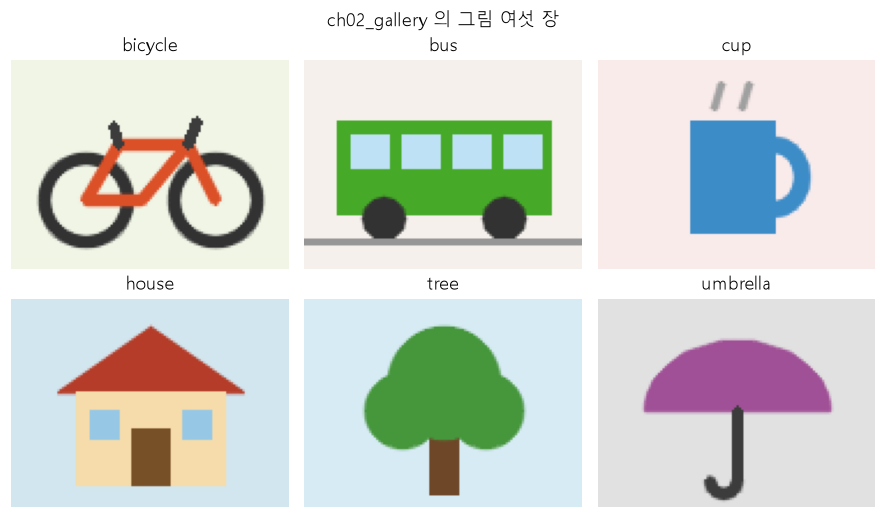
3단계. 한 줄에 4칸으로 바꾸고 남는 칸 비우기
import math

cols = 4                                         # 한 줄에 놓을 칸 수
rows = math.ceil(len(gallery) / cols)            # 6 ÷ 4 = 1.5 → 올림해서 2줄
print(f"그림 {len(gallery)}장 → {rows}줄 × {cols}칸 = {rows * cols}칸, 남는 칸 {rows * cols - len(gallery)}개")

fig, axes = plt.subplots(rows, cols, figsize=(9, 3.6), layout="constrained")
for k, ax in enumerate(axes.flat):
    if k < len(gallery):
        name, img = gallery[k]
        ax.imshow(cv2.cvtColor(img, cv2.COLOR_BGR2RGB))
        ax.set_title(f"{k + 1}. {name}")
    ax.axis("off")                               # 그림이 있는 칸도 없는 칸도 눈금을 지운다
plt.show()그림 6장 → 2줄 × 4칸 = 8칸, 남는 칸 2개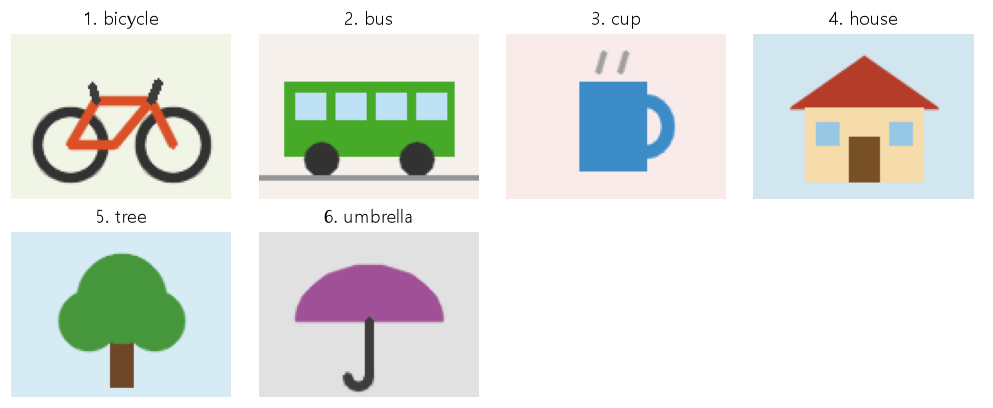
코드 설명
sorted(os.listdir(folder))는 폴더의 파일 이름을 이름순으로 돌려줍니다. 정렬하지 않으면 PC 마다 차례가 다를 수 있습니다.os.path.splitext(file)[0]은 파일 이름에서 확장자를 뗀 앞부분입니다. splitext 는 split extension(확장자 떼어 내기)의 줄임입니다.zip(axes.flat, gallery)는 칸과 그림을 하나씩 짝짓습니다. 짧은 쪽이 끝나면 멈춥니다.math.ceil(6 / 4)는 1.5 를 올림한 2 입니다. 칸이 그림보다 많을 때 남는 칸은ax.axis("off")로 비워 둡니다.